 Chaklin
Chaklin, where teachers get their evenings back.
Create classroom-ready lessons, quizzes and worksheets in minutes.
Create one resource from a topic, build directly from something you already teach, or produce a connected lesson set. Chaklin keeps companion materials within what your lesson actually covered.
Built by a classroom teacher who knows how much planning, differentiation and grading happens after school.

Two ways to work
One resource at a time — or a connected set when you want one
Default
Quick Create
Pick or describe the standard, choose one format, and Chaklin drafts just that — a lesson plan, a worksheet, a quiz with its answer key, a slide deck, an anchor chart, a video storyboard or a parent note.
Optional
Build a lesson set
If you'd rather do it in one sitting, write the brief once and tick the companions you want. Chaklin writes the lesson first, then drafts each companion from it, so nothing goes beyond what the lesson covered. You confirm the list before anything is generated.
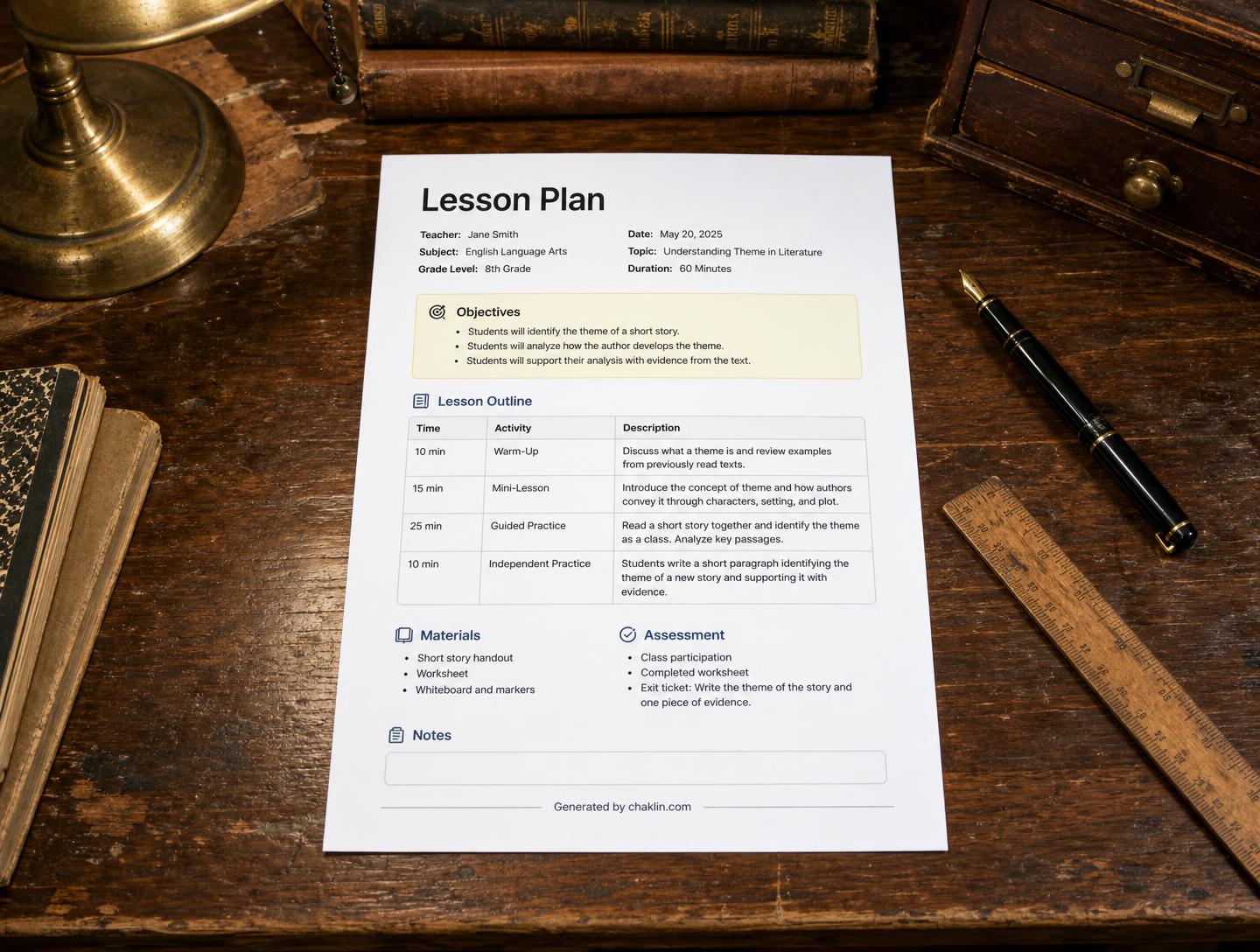
Lesson plan
A full plan designed around your selected standard: objectives, hook, gradual release, checks for understanding and closure.
Differentiated worksheet
Three tiers of the same task — support, on-level and extension — with a matching answer key.
Quiz
Mixed-format questions with answers, distractor rationale and depth-of-knowledge labels.
Slide deck
A teaching deck with speaker notes, ready to present or export to PowerPoint.
Classroom visual
An anchor chart, diagram or poster generated as a printable image.
Educational video
A scene-by-scene script and storyboard with narration timings, plus generated scene frames.
Parent communication
A warm, jargon-free note home — newsletter, progress update or behaviour message.
Grading too: use the rubric generator to draft a rubric designed around your selected standards from any assignment.
Built for whoever is doing the planning — and the grading.
Classroom teachers, curriculum developers, homeschool families and educational media teams use the same engine. And once the work comes back, Chaklin grades it against your rubric and writes actionable comments for every student, so your evenings stay yours.
Create a free resourceHow it works
Plan, quiz and grade in one afternoon
Start from a topic, one of your existing Chaklin materials, or source text you paste. Then choose the single resource you want to create. Building a connected lesson set is optional.
Chaklin's purpose
Chaklin helps K–12 teachers create the classroom resource they need—from a topic, an existing material or source text they provide. Teachers can create one resource at a time or optionally build a connected lesson set.
How Chaklin uses Google Classroom
Connecting Google Classroom is optional. If a teacher chooses to connect, Chaklin reads the list of classes they teach so they can pick one, posts the materials Chaklin generated as announcements or assignments to that class, and writes the grade Chaklin produced back to that assignment in the Classroom gradebook. Chaklin never reads unrelated Google data and a teacher can disconnect at any time from the Integrations page.